A guest looking for a boat will usually not open your website first. They will first look at what Google says. If your profile looks professional, they will contact you. If it is not up to date or information is missing, they move on. Find out what a Google Business profile should contain and how to set it up so it works for you every day.
Google Business profile is a free service that displays important business information in Google Search and on Google Maps.
When someone searches for terms such as “sailboat rental Zadar” or “marina near Split”, one of the first results shown is the company information within the Google Business profile.
Displayed are the company name, exact location, phone number, website link, photos, ratings, and guest reviews.
A Google Business profile thus serves as a quick source of information and should provide a clear picture of what the company does, where it is located, and how to contact it.
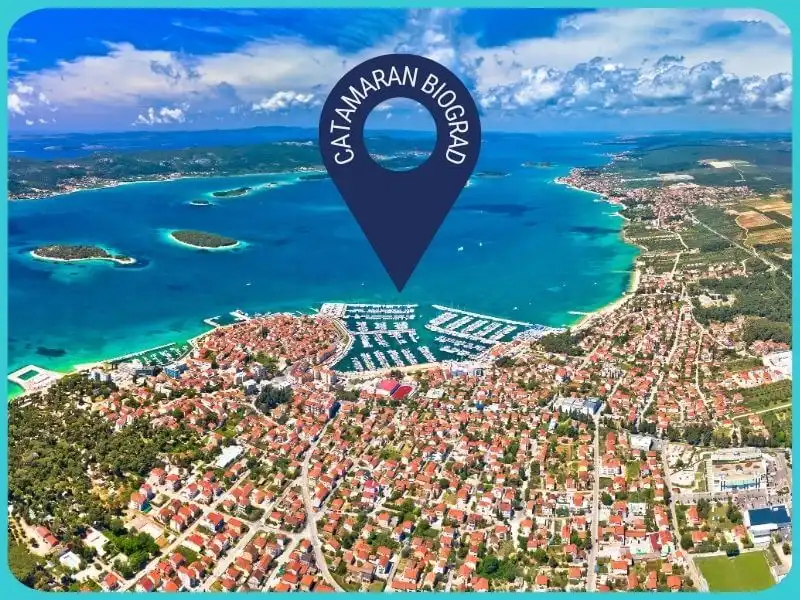
Why it is important to have a well set up Google Business profile
For yacht charter companies and other nautical businesses, a Google Business profile is often the first point of contact for guests coming from different countries.
A large number of them search for information exclusively through Google, so companies with a good profile are more likely to receive enquiries.
By a good profile, we mean a profile with a clear description, accurate working hours, photos, and replies to reviews.
Google often displays local results from Google Business profiles before regular website search results.
This means that a company can appear very high even when its website is not particularly optimised. If a Google Business profile is filled out and active, higher visibility can be achieved and guests can be attracted when searching by location, type of vessel, or type of service.
Examples of searches that display a Google Business profile:
- “charter company Trogir”
- “najam katamarana Biograd”
- “boat rental Dubrovnik”
- “skipper service Zadar”
- “marina parking Pula”
What a guest usually checks before sending an enquiry:
- photos of vessels and the base
- working hours and contact
- ratings and reviews
- location distance
- profile freshness (for example new photos, replies to reviews, posts)
With information displayed like this, you will present yourself as a professional company, and people will find it easier to decide whether to send an enquiry specifically to you. A well completed Google Business profile increases visibility and creates the impression of a company that operates clearly, neatly, and reliably.
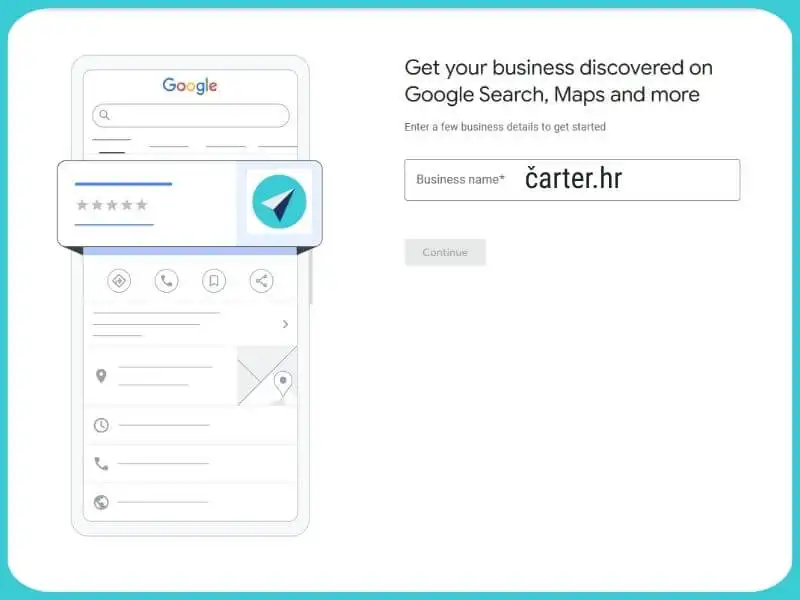
How to open and verify a Google Business profile (step by step)
Google Business profile is connected to Google Maps and Search, so everything you enter becomes visible to everyone who is looking for the service you offer.
The process of opening the profile should be done by a person who has access to the official Google account of the company and knows the basic business information.
The process looks like this:
- Open the page: google.com/business
- Log in with the official Google account connected to your business
- Enter the company name exactly as it appears on that account, the website, and other channels
- Choose the category that best describes your business
- If you have a physical location that guests can visit (base, office, reception), enter the exact address
- If you operate in multiple locations (for example several marinas), each must be entered as a separate business unit, that is, a separate profile
- Add the phone number where guests can reach you and a link to the website
- Check that every piece of information is entered correctly, without abbreviations or extra words that do not belong to the name
After you enter all the information, Google must verify that you really manage that profile. This serves as business protection and ensures that no one else can make changes on your behalf.
Methods of profile verification include:
- SMS or phone call: the code arrives at the number you provided
- Email: available only for certain categories and accounts that are already connected
- Video recording or call: Google may ask you to show your business space or location live through the camera
You enter the code you receive in the Google Business profile and only then does the profile become visible to everyone who is searching for your service. Until you do this, the profile will not appear in search results or on maps.
Tips before verification:
- Check the full name and remove unnecessary additions (for example capital letters, quotation marks, or generic words such as “best charter”)
- Check that the postal address is correct, including the postal code and city name
- Enter a phone number that is active and that someone actually answers
When the profile is verified, you can continue adding photos, descriptions, posts, and other information. All changes can be made whenever you need them. Google Business profile is open for editing throughout the entire year, and regular updates contribute to your credibility and better visibility.
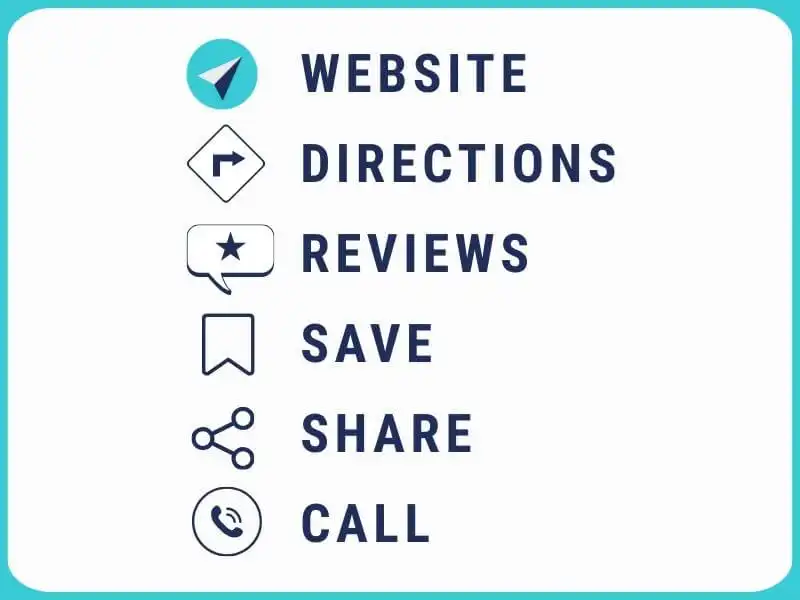
What needs to be filled out accurately (and regularly updated)
Every piece of information entered in the Google Business profile must be truthful, complete, and consistent with what you already have published on your website.
Inconsistencies between the profile and other sources confuse guests and also reduce credibility in the eyes of Google.
Information that should be filled out immediately when opening the profile also includes:
- Company name: without additional words, slogans, capital letters, or abbreviations that are not part of the official name
- Address: if you have a physical location, it must be complete and precise, with the street name, house number, and postal code
- Phone number: a number you actually use in everyday communication with guests
- Website: a link that leads directly to your official website, not to intermediaries or aggregators
- Working hours: it is important to state the exact hours when you are available, with notes for the season, weekends, and possible off-season breaks
In addition to the basics, there is information that further helps guests understand what you do and what they can expect.
Business description: you have up to 750 characters to explain what you do, where you are located, and what sets you apart. Write clearly and specifically.
Example: “The company offers rental of sailboats, catamarans, and motorboats from the marina in Biograd. All vessels are regularly serviced and ready for family trips, or private cruises.”
Categories: choose one main category and several additional ones, if they relate to real services.
Examples of combinations:
- Yacht charter (main) + Boat rental service + Marina
- Boat tour agency (main) + Tour operator + Travel agency
- Services: this is a list of the specific offerings you provide, so list them clearly and in bullet points
Examples of services for yacht charter and related activities:
- sailboat and catamaran rental
- organised daily boat trips
- boat transfers with or without crew
- skipper services and boarding assistance
- technical support and logistics for larger groups
All this information makes it easier for guests to navigate and quickly find the services they are interested in, and it makes the Google Business profile clearer and more visible in local search results. A precisely completed profile reflects a professional approach and can contribute to a better position in the search results.

Google Business profile photos and content
Photos are among the first elements a person notices when viewing a Google Business profile. The visual impression often carries more weight than text, especially in nautical tourism, where guests look for safety, professionalism, and clarity even before the first contact. Poor quality, generic, or outdated photos can create the impression of an inactive or disorganised business, regardless of the real situation on the ground. Therefore, it is important to publish authentic photos that truly show your services and working conditions.
Types of photos recommended for regular posting:
Vessels exterior and interior
- Presentation of sailboats, catamarans, and motorboats from multiple angles
- Interior with emphasis on cabins, saloon, kitchen, and bathroom
Base and staff
- The vessel pickup location, reception, or pontoon
- Employees in everyday situations, in contact with guests or during boat preparation
Guests
- Photos of boarding, departure, socialising, or return (with prior permission)
Additional services
- Presentation of transfers to the base, skipper services, bedding, safety equipment, tender, and other additional elements of the offer
Photos should be clear, recent, and consistent with what guests can expect in reality. If there is a change in the fleet or offer, old photos should be removed and new ones uploaded.
Recommended profile elements related to photos:
- Profile picture: company logo in high resolution, without text or additional borders
- Cover photo: a representative photo of the base, fleet, or a recognisable scene from operations
- Update frequency: at least seasonally, that is, before the start of the main season, but also whenever new services, vessels, or base changes are introduced
A Google Business profile that visually shows real working conditions increases trust and reduces uncertainty among potential guests.
In addition, a profile with regularly updated photos appears more often in local search results, especially when guests search for a specific type of vessel or a destination within the region.
Reviews - how to encourage them and how to respond
Reviews directly influence whether a potential guest will contact you with an enquiry or will look for another company. Google Business profile displays the average rating, the most recent comments, and the number of people who have left their opinion so far.
All of this together creates a first impression that can help a guest remember and choose you, but can also create doubt if the profile appears inactive or if negative comments have no response.
Ratings and comments do not only reflect guest satisfaction, but also your willingness to communicate and your professional approach. A large number of reviews does not happen without systematic initiative.
What you can do to receive more reviews:
- After the rental ends, send a short email with a direct link to the Google Business profile
- In a personal conversation during the return of the vessel, kindly ask the guest to write their opinion
- In communication via WhatsApp, after the guest shares that they were satisfied, you can send them a link or a QR code that leads directly to the review page
- If you use printed materials during check-out, you can print a QR code that leads to Google reviews
Examples of sentences you can use:
- “If you are satisfied with the service, we would appreciate it if you shared your experience through a Google review.”
- “Here is the link for the review - thank you for sailing with us.”
- “Your opinion helps future guests decide more easily who to sail with.”
On the other hand, reviews also require regular care. Every rating, whether positive or negative, deserves a response. Responding is not a mere formality. Guests who do not yet know you often read the comments of others and observe how you react to them. This is the space where your business culture, communication style, and approach to criticism become visible.
How to respond to reviews:
- Thank every reviewer, regardless of the rating
- If the comment is positive, show that you have read it and recognised the detail the guest praised
- If the comment is negative, remain calm and polite, without a defensive tone or emotion
- If the complaint is justified, acknowledge the oversight and explain what you have done to prevent the situation from happening again
- Do not enter into arguments, even when the review is unfounded. Instead, present your side of the situation briefly and clearly
Examples of responses:
- “Thank you for choosing our company. We are glad you enjoyed your sailing experience.”
- “We are sorry that the experience was not entirely positive. Next season we will introduce additional equipment checks.”
- “Thank you for your feedback. We have checked the matter with the crew members and taken steps to ensure that the service meets expectations.”
By regularly monitoring and updating the review section of the profile, you show seriousness and availability. A Google Business profile with a larger number of ratings, quality responses, and active communication has greater credibility in the eyes of guests and often appears more frequently in search results.

Most common mistakes to avoid
Google Business profile often creates the first impression of your business, especially when a guest is searching for a yacht charter company in a specific town or port. Even the smallest mistakes can create mistrust, confuse someone who is considering a booking, or affect the position of the profile in search results.
It is important to manage the profile carefully and check it regularly, so that all information remains aligned with what you truly offer.
Most common recurring mistakes:
Incorrect company name
- Adding descriptions such as “the best yacht charter in Croatia” to the profile name
- Using capital letters and symbols to attract attention
- Including the name of the location within the name when it is not part of the official company name
Data inconsistency
- Different phone numbers on the profile and the website
- Working hours not aligned between the profile and social media
- Incorrect addresses or different base names in different places
Not responding to reviews
- Ignoring comments, especially negative ones, creates the impression that the company is not interested in feedback
- Lack of response to praise may appear as a lack of interest or professional courtesy
Outdated, blurry, or inappropriate photos
- Photos of vessels taken in poor weather conditions or in an unclear way
- Photos of an old fleet that is no longer offered
- Lack of visual content showing actual conditions at the base
Incorrect or inconsistent working hours
- The profile shows that you are open, but the base is actually closed
- Seasonal changes or special hours for guest changeover days are not listed
Ignoring messages and enquiries
- Always check messages
- Unanswered enquiries create the impression of disorganisation or lack of interest in communicating with guests
Incorrectly chosen categories
- Using general categories that do not reflect the actual business activity, for example “Travel agency” instead of “Yacht charter”
- Lack of additional categories that help guests find you more easily (for example “Boat rental service”, “Boat tour agency”)
Managing a Google Business profile requires accuracy, consistency, and responsibility. The profile is a good promotional tool, but also a source of information that must reflect the actual state of the business.
How to track results and maintain the profile
Google Business profile is nothing more than a live page that constantly changes depending on how much attention you give it.
In addition to displaying basic information, it also provides statistics that can help you better understand when and how guests search for your service. With insights into guest behaviour, you can make decisions based on real data, not assumptions.
Through the Google Business profile interface, you can track:
- Number of views in search results and on Google Maps
- Number of clicks to the website
- Number of phone calls made directly from the profile
- How many people requested directions to your base
- Which posts or photos attracted the most attention
Such data is useful for planning the season, but also for monitoring guest behaviour from week to week. If you notice a drop in activity during a period when you usually receive enquiries, then it is time to refresh the content.
Activities recommended on a regular basis:
- Checking and updating working hours: especially before the start or end of the season, as well as in case of special schedules
- Adding new photos: showing the new fleet, conditions at the base, seasonal changes, or details guests often ask about (for example parking, reception, access to the sea)
- Responding to reviews and questions: a quick and calm reply creates the impression of availability and care for guests
- Writing posts: at least once or twice a month, whether announcing seasonal offers, base closures due to maintenance, or simply sharing useful information
- Checking how the profile appears in search: both on mobile devices and on computers, to ensure everything is displayed correctly
Google Business profile works even when you are not working. In nautical tourism, where guests often search for companies from other countries, late at night or at the last moment, the first impression means a lot.
A profile that is informative, accurate, and regularly maintained shows professionalism. And all it requires is continuity. And when you set aside a little time, the result is usually more enquiries and a better impression of your yacht charter.
Google Business profile can really help
Google Business profile can also be an important source of information in the yacht charter industry, especially for guests arriving at your base for the first time. If the profile is well set up and regularly maintained, the likelihood of someone choosing you increases simply because you are available, clear, and professional.
A good Google Business profile is part of basic online presence.
Your guests mostly come from abroad and make their decision based on the first impression. And this is where you need one well set up and well managed profile.
And since this is a free tool, all the time and effort you invest will be returned many times over.
If you do not have the time or are not sure how to organise your Google Business profile properly, contact us. We help yacht charter companies appear reliable and become more visible to those searching for them.


Categories of trends
- News
- Sale
- Marketing
- SEO
- Web design
- Social media
- Technology
- Regulations
- Management
- Education
- Finances
- User experience
- Graphic design
Newsletter
Sign up for the newsletter and receive the latest trends and tips straight to your inbox